
Does it make sense to invest in content before you fix your SaaS website?
This is one question most B2B SaaS companies struggle to answer because they are stuck in the “rabbit hole,” doing the same thing.
But you know what? Creating and publishing tons of content on a website saturated with technical errors or anomalies is like building a house on sand.
This means you can publish 50 excellent blog posts, but if Google cannot crawl your site properly, none of them will rank. It’s that simple!
Interestingly, through this guide, I’ll break down technical SEO for SaaS companies in a simple and relatable way. This way, you can know exactly what to fix, why it matters, and how to prioritize it.
Now, note this article is part of the complete guide to SEO for B2B SaaS that covers everything from keyword research to pipeline generation. If you want to understand the bigger picture first, you can start there.
Otherwise, let’s move to the big question:
What Is Technical SEO and Why Does It Matter for SaaS?
Technical SEO is the work you do on your website so search engines can find, read, and rank your pages. It has nothing to do with the words you write. It is about how your site is built.
For SaaS companies, technical SEO is more important than most people think. You know what? SaaS websites are often built on JavaScript-heavy frameworks like React or Next.js. Beyond this, they have dynamic URLs, gated content, product dashboards, and complex site structures.
All of these things create technical problems that standard websites do not face.
If your organic traffic is declining or you are not ranking for terms you know your buyers search for, the problem often starts from a technical angle.
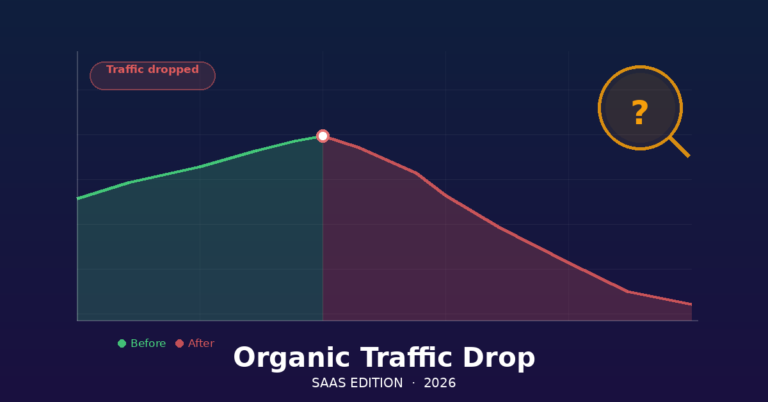
Surprisingly, many teams assume content is the issue when, in reality, a sudden drop in organic traffic almost always points to something technical that broke or was never set up correctly. (Learn more about diagnosing an organic traffic drop and how to recover.)
You heard that.
Some of the technical issues include:
Crawlability: Can Google Even Find Your Pages?
The first job of technical SEO is ensuring Google can access your website. While this sounds simple, many SaaS sites break this rule constantly.
Now, here are some things that can prevent your website or webpages from being crawled:
Robots.txt
Your robots.txt file tells search engines which pages to crawl and which to skip. While this is true, a misconfigured robots.txt can block your entire site from Google. Now, this is more common than you think, especially after site migrations or developer pushes.
The good thing is that you can open your robots.txt file at “yourdomain.com/robots.txt” and check that you are not accidentally blocking important sections on your website.
The section could be your blog, feature pages, product landing pages, or otherwise. But you know what? These are pages you don’t want to block. The idea is to use robot.txt only to block things like admin panels, staging environments, and internal dashboards.
XML Sitemaps
Your sitemap is a list of all the pages you want Google to crawl. It helps Google discover new content faster and understand your site structure.
For SaaS companies, your sitemap should include your homepage, product and feature pages, integration pages, blog posts, and landing pages.
That said, here’s an interesting thing about sitemap: It should not include duplicate pages, paginated URLs without canonical tags, or any page that has a “noindex” tag.
If you’re to submit your sitemap, you can do that through Google Search Console. Many SaaS teams submit a sitemap once and never look at it again. But it’s advisable to check it every quarter.
JavaScript Rendering
Most SaaS websites use JavaScript. Even though Google can render JavaScript, it does not do it instantly. There is a delay between when Google first crawls a page and when it processes the JavaScript to see the full content.
For instance, if your navigation, headings, or main content only load after JavaScript runs, Google may be indexing blank or incomplete versions of your pages. This is one of the most common technical SEO problems in SaaS, and it is one of the main reasons companies see poor lead generation from organic search even when they have strong content.
The fix is to use server-side rendering (SSR) or static site generation (SSG) for your marketing pages. This is important to work with your engineering or technical team to ensure content-critical elements load without JavaScript.
Site Architecture: Does Your Structure Make Sense?
Site architecture is how your pages link to each other. Often, good architecture helps Google understand which pages are most important and how your content is organized.
Flat Structure Wins
In a flat structure, every important page is no more than three clicks from the homepage. And a SaaS company, this means your feature pages, solution pages, and key blog posts should all be easy to reach.
For instance, if Google has to crawl through six pages of links to find your integration pages, those pages will rank poorly.
Internal Linking
Internal links pass authority from one page to another. They also help Google understand the relationship between your pages. A strong internal linking structure connects your blog posts to your feature pages, your feature pages to your pricing page, and your pillar content to your cluster articles.
This is why, if you are building a content strategy for SaaS, your internal linking should reflect your content clusters. Every cluster article should link to the pillar page, and the pillar page should link back to every cluster article.
Right now, you are reading a cluster article. It links to the pillar and to related articles throughout.
That said, here’s one practical tip to pay attention to when internal linking: do not just link at the bottom of a page. The idea is to add contextual links inside the body of your content where they are most useful to the reader.
Page Speed: Slow Sites Lose Rankings
Google uses page speed as a ranking factor, especially on mobile. For SaaS companies selling to busy professionals, slow pages also kill conversions. You know what? A one-second delay in load time can reduce conversions by 7%.
Core Web Vitals
Google measures page speed through a set of signals called Core Web Vitals. There are three main ones.
Largest Contentful Paint (LCP) is the first one. And it measures how fast your main content loads. As a rule, you should aim for under 2.5 seconds.
Now the second one is the first Input Delay (FID), and it measures how fast your page responds when someone clicks something. It’s best to aim for under 100 milliseconds.
The third one is cumulative Layout Shift (CLS), which measures how much your page moves around as it loads. For this one, it’s advisable to aim for a score under 0.1.
That being said, note that you can check your Core Web Vitals in your Google Search Console under the Experience tab.
You know what? For SaaS companies with high customer acquisition costs, improving these numbers is not just an SEO task. It is a revenue task. In the end, solving CAC problems in SaaS often starts with improving the performance and user experience of your organic landing pages.
Yet this question remains:
What are those things that slow SaaS Sites Down?
The most common culprits for slow SaaS websites are unoptimized images, too many third-party scripts (chat tools, analytics, heatmaps, retargeting pixels), large JavaScript bundles, and no caching.
This is why it’s paramount to work with your dev team to compress images, defer non-critical scripts, and use a content delivery network (CDN).
Indexability: Are the Right Pages Getting Indexed?
Getting indexed means Google has added your page to its database and can show it in search results. Being crawlable is not the same as being indexed.
Canonical Tags
SaaS websites create duplicate content constantly. Product tour pages, pricing pages with UTM parameters, and blog posts accessible from multiple categories can all create duplicates. And that’s where canonical tags come in. They tell Google which version of a page is the real one.
Without canonicals, Google may split ranking signals across multiple versions of the same page and rank none of them well. You know what? Every page on your site should either have a self-referencing canonical or point to the correct original.
Noindex Tags
A noindex tag tells Google not to include a page in search results. It’s advisable to use these deliberately for pages like thank-you pages, internal search results, and admin areas. Under no circumstances should you accidentally put them on pages you want to rank.
This is why you should audit your noindex tags every time you do a major site change. This is vital because developers often add noindex tags during testing and forget to remove them before launch.
Orphan Pages
Orphan pages are pages that exist on your site but have no internal links pointing to them. Google may never find them. Run a site audit with a tool like Screaming Frog, Ahrefs, or Semrush to find orphan pages, then add internal links to them.
URL Structure: Keep It Clean and Logical
Your URLs should be short, readable, and descriptive. They should use hyphens between words, not underscores. Ideally, your URLs should reflect your site hierarchy.
Here’s a typical good URL: yourdomain.com/blog/technical-seo-saas. But a bad URL would look like this: yourdomain.com/blog?id=4829&cat=12&ref=home
Now, as a SaaS company with product documentation, knowledge bases, or help centers, it’s important to ensure these sections are either on a subdirectory (yourdomain.com/help) rather than a subdomain (help.yourdomain.com).
You know what? Google treats subdomains as separate websites. Due to this, content on a subdomain does not build authority for your main domain.
Structured Data: Help Google Understand Your Content
Structured data is a piece of code you add to your pages that helps Google understand what the content is about. It can also trigger rich results in search, like star ratings, FAQs, or article metadata.
As a SaaS company, you should know that the most useful types of structured data are Article schema for blog posts, FAQPage schema for FAQ sections, BreadcrumbList schema for site navigation, and Organization schema for your homepage.
However, note that structured data will not make a bad page rank. But it helps good pages get better click-through rates. It does this by making them look more authoritative in search results.
HTTPS and Security
Every SaaS website should be on HTTPS. But if yours is not, it’s critical you fix it today. You don’t want to get into the bad book of Google because it flags HTTP sites as not secure.
The truth? Prospective buyers will not trust you with their data if your own website is not secure.
That said, it’s essential to also check for mixed content warnings. This happens when your site loads on HTTPS but still calls some resources (like images or scripts) over HTTP.
Now this isn’t a good signal. Mixed content breaks the security signal and can trigger browser warnings.
Mobile Optimization
Google indexes the mobile version of your site first. This is called mobile-first indexing. If your mobile site is missing content, has broken layouts, or loads slowly, your rankings will suffer even for desktop users.
Use Google’s Mobile-Friendly Test to check your pages. Make sure all content is visible on mobile, tap targets are large enough, and text is readable without zooming.
How to Prioritize Technical SEO Fixes
There’s a place of prioritization even in the fixing of technical errors on your SaaS website. For instance, if you audit your site and find 30 problems, the stern truth is that you cannot fix everything at once.
That’s where prioritizing comes in. If you’re unsure about how to do this, here is a practical way you can do it:
Start with crawlability.
This is important because if Google cannot access your pages, nothing else matters. This is why you should fix robots.txt errors, sitemap issues, and JavaScript rendering problems first.
After that, you can then move to indexability issues such as canonical tags, noindex errors, and duplicate content.
Once you’ve ticked the boxes in these areas, the next thing to address is your Core Web Vitals. This is so crucial because slow pages hurt both rankings and conversions.
Now, last but not least. You should maintain clean, structured data, URL structure, and mobile issues.
That said, it’s critical to document every fix with a before-and-after screenshot. Not only that, it’s paramount that you track your Core Web Vitals, crawl errors, and indexed page count in Google Search Console so you can measure progress.
Technical SEO Sits Under a Bigger Strategy
Technical SEO is not a one-time project. It is ongoing maintenance. Every time your team ships a new feature page, migrates to a new CMS, or launches a campaign with new landing pages, you need to check for technical issues.
Now, even though technical SEO is the foundation of your SaaS SEO, it will not grow your pipeline all by itself. This is why you need a SaaS SEO strategy with a clear step-by-step framework that connects your technical foundation to content that actually converts buyers.
You also need keyword research built around revenue, not just traffic, so the right people find your pages.
The companies that win in organic search do not treat technical SEO as a developer task. They treat it as a growth lever. The bottom line? If you fix the foundation, everything else you build on top of it compounds.